
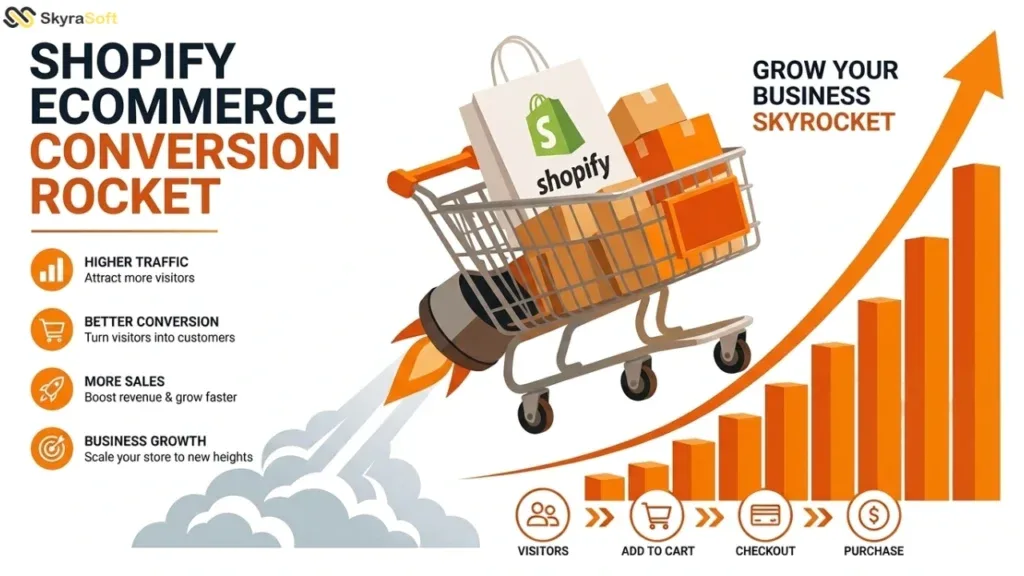
The Psychology of the Modern Online Buyer
Understanding how customers behave online is the first step to converting them. Modern buyers are impatient, skeptical, and overloaded with choices. Research shows that the average attention span has dropped to eight seconds—shorter than that of a goldfish. Within those eight seconds, a visitor decides whether to stay on your site or return to search results. Shopify stores that convert well recognize this reality and design accordingly.
The psychology of e-commerce conversion rests on several key principles. First, cognitive load—the mental effort required to process information—must be minimized. Every additional product option, form field, or navigation step increases cognitive load and decreases conversion probability. A well-designed Shopify store presents only what the customer needs at each stage of the journey, hiding complexity until it becomes relevant.
Second, social proof remains the most powerful persuasion tool in e-commerce. Product reviews, testimonials, user-generated content, and trust badges signal to potential buyers that others have purchased successfully and been satisfied. Shopify stores that prominently display review aggregations, star ratings, and “recently purchased” notifications consistently outperform those that don’t.
Third, the principle of reciprocity applies online as it does offline. Offering value before asking for a purchase—whether through educational content, sizing guides, or limited-time discounts—creates a psychological obligation that increases conversion likelihood. The most effective Shopify stores build this reciprocity into their customer journey, not as an afterthought but as a deliberate strategy.
Streamlining the Checkout Experience
The checkout process is where conversions live or die. According to Baymard Institute research, the average cart abandonment rate across e-commerce is nearly 70%. That means seven out of ten customers who add items to their cart leave before completing the purchase. The reasons are predictable: unexpected costs, complicated checkout forms, required account creation, and slow loading times.
Shopify’s native checkout is already optimized better than most platforms, but significant improvements are still possible. The first optimization is removing friction. Every form field should be justified. Asking for a customer’s phone number might be necessary for delivery notifications; asking for their date of birth is rarely necessary. Reducing checkout fields from seven to four can increase conversion by 15-20%.
Guest checkout is non-negotiable. Forcing account creation before purchase is one of the fastest ways to lose customers. While registered customers have higher lifetime value, that value is realized only after the first purchase. Allow guest checkout, then offer account creation after the transaction as a convenience for future purchases.
Payment method variety directly impacts conversion. Different customers prefer different payment options—credit cards, PayPal, Apple Pay, Google Pay, Buy Now Pay Later services like Afterpay or Klarna. Shopify Payments supports most major options, but enabling them requires deliberate configuration. Each additional payment method captures customers who would otherwise abandon their cart because their preferred option isn’t available.
The post-checkout experience matters too. Order confirmation emails should be immediate, clear, and useful. Tracking information should be easy to access. Returns and exchanges should be simple to initiate. Customers who have a smooth post-purchase experience are far more likely to return, and returning customers convert at significantly higher rates than new visitors.
Navigation and Product Discovery
Even the most compelling products won’t sell if customers can’t find them. Navigation on a Shopify store serves two functions: helping customers locate specific items and exposing them to products they didn’t know they wanted. Both functions require thoughtful design.
Search functionality is often underutilized on Shopify stores. A well-implemented search bar should handle typos, synonyms, and natural language queries. It should prioritize products that are in stock and popular. It should display images and prices directly in search results. Shopify apps like Searchspring, Algolia, or the built-in search with custom configuration can transform a mediocre search experience into a conversion driver.
Product categorization and filtering determine how easily customers narrow down options. An apparel store might need filters for size, color, price, brand, material, and style. An electronics store might need filters for specifications like storage capacity, processor speed, and connectivity. The key is providing filters that matter to your specific products and customers. Too few filters frustrate; too many overwhelm.
Collection pages should be organized logically, with the most popular or relevant products appearing first. Sorting options—by price, popularity, newest, or rating—give customers control over their browsing experience. Product badges for “sale,” “best seller,” or “low stock” create urgency and guide attention to high-value items.
Internal linking and cross-selling increase average order value. Related product sections on product pages, frequently bought together bundles, and post-purchase recommendations all encourage additional purchases. The most sophisticated Shopify stores use machine learning to personalize these recommendations based on browsing and purchase history, but even simple rule-based recommendations outperform none at all.
Mobile Optimization as a Conversion Imperative
Mobile commerce now accounts for over half of all e-commerce sales in the US. Yet many Shopify stores are still designed primarily for desktop, with mobile as an afterthought. This approach leaves money on the table.
Mobile optimization for Shopify starts with responsive design—ensuring that layouts adapt to different screen sizes. But true mobile conversion optimization goes further. Touch targets (buttons, links, form fields) must be large enough for fingers to tap accurately. Apple recommends a minimum target size of 44×44 points. Text must be readable without zooming. Forms should use appropriate input types (numeric keypads for credit card numbers, email keyboards for email addresses) to reduce typing friction.
Page speed is even more critical on mobile than desktop. Mobile connections are often slower, and mobile users are frequently in environments with distractions. A three-second load time on desktop might be acceptable; on mobile, it’s a conversion killer. Shopify’s mobile performance can be optimized through image compression, app minimization, and careful theme selection.
Mobile checkout presents unique challenges. Screen space is limited, so each form field is more costly. Autofill and saved payment methods (like Shopify Pay) dramatically reduce checkout friction on mobile. One-click checkout options like Shop Pay, which remembers customer information across stores, can increase mobile conversion by 30% or more.
Thumb-friendly navigation places primary actions—menu, cart, search—within easy reach of the thumb when holding a phone with one hand. Bottom navigation bars, rather than top hamburger menus, improve discoverability and reduce the number of taps required to complete common actions. These small design decisions compound to create a mobile experience that feels effortless rather than frustrating.
Leveraging Shopify’s Native Conversion Tools
Shopify includes several built-in features specifically designed to increase conversion rates, yet many store owners never configure them properly. These tools, when activated and optimized, provide immediate conversion improvements without additional cost.
Abandoned cart recovery is Shopify’s most powerful native conversion tool. When a customer adds items to their cart but leaves without purchasing, Shopify can automatically send a series of reminder emails. The first email typically sends within an hour of abandonment, offering help or answering common questions. A second email might include a small discount or free shipping offer. Properly configured abandoned cart sequences recover 10-15% of otherwise lost sales.
Shopify Email allows basic email marketing directly within the platform. While less sophisticated than dedicated email marketing tools, it integrates seamlessly with customer data and purchase history. Welcome sequences for new subscribers, post-purchase follow-ups, and re-engagement campaigns for inactive customers can all be built without third-party integrations.
Discount codes and automatic discounts create urgency and incentivize purchase. Limited-time offers, first-purchase discounts, and tiered savings (spend $50 save 10%, spend $100 save 20%) all increase average order value. Shopify’s discount engine supports complex rules, including buy-one-get-one, free shipping thresholds, and customer-specific codes.
Shopify Analytics provides conversion data that should drive every optimization decision. The analytics dashboard shows conversion rates by traffic source, product performance, cart abandonment rates, and customer behavior flows. Store owners who regularly review this data and act on insights consistently outperform those who don’t. The science of high-converting Shopify stores is not mysterious—it is measurable, testable, and achievable with disciplined attention to the customer experience at every touchpoint.